Guía de instalación
Whatsminer Mining Equipment

Funciones

  • Automatic profile generation

    Generación automática
    de perfiles

  • Profile Switcher

    Cambio de
    perfil

  • Hashboards disabling

    Desactivación de
    hashboards

  • Remote monitoring

    Monitoreo
    remoto

  • Hotel fee

    Tarifa de hotel

  • Proxy server

    Servidor
    proxy

  • Additional PSU

    Fuente PSU
    adicional

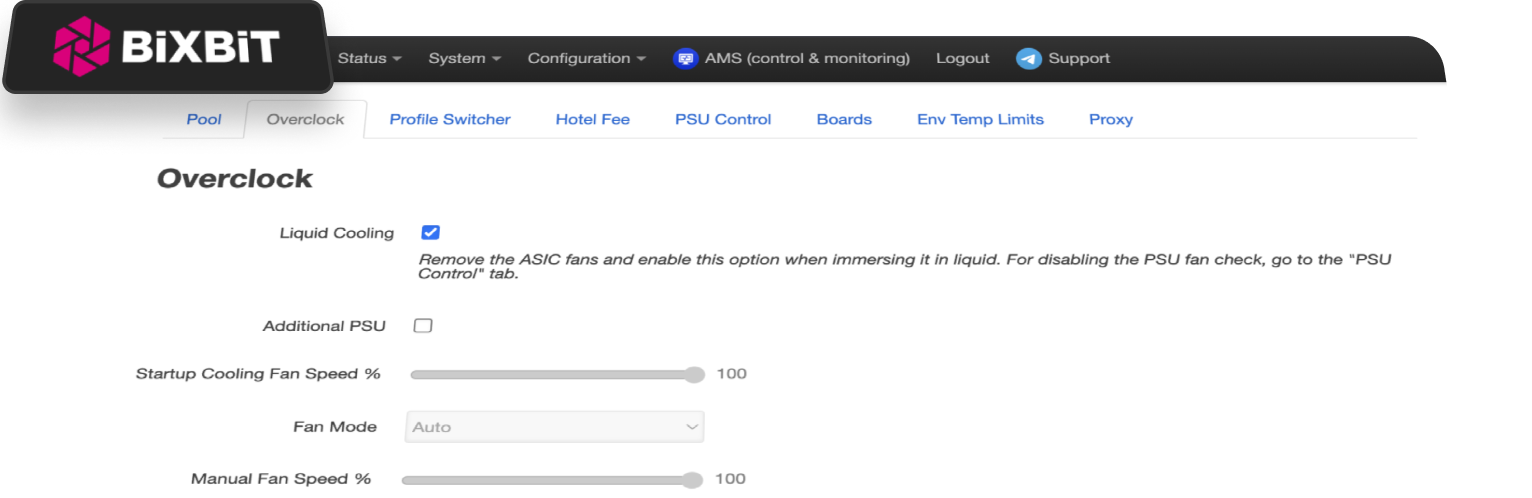
  • Liquid Cooling

    Refrigeración
    líquida

  • Downvolting

    Reducción
    de voltaje


Pricing

2.8%
DevFee

Se deduce automáticamente durante la minería


file icon
Whatsminer_ m6x

Descargar archivo de firmware BiXBiT


Pasos de implementación

  1. Download BiXBiT firmware for Whatsminer
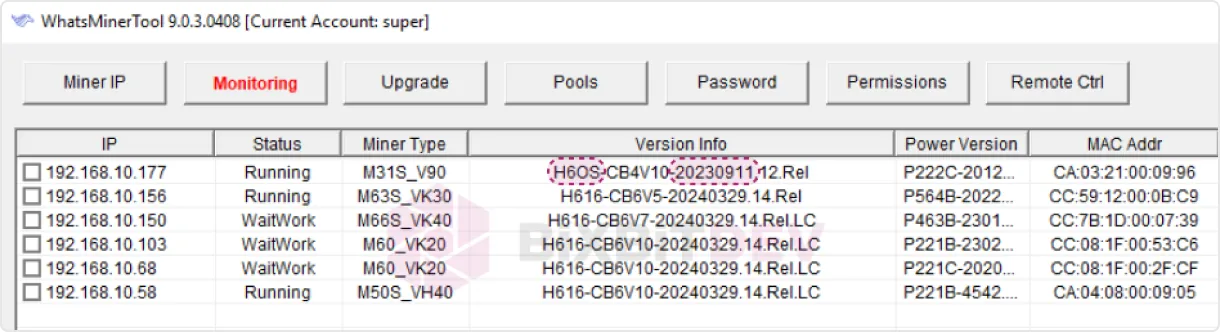
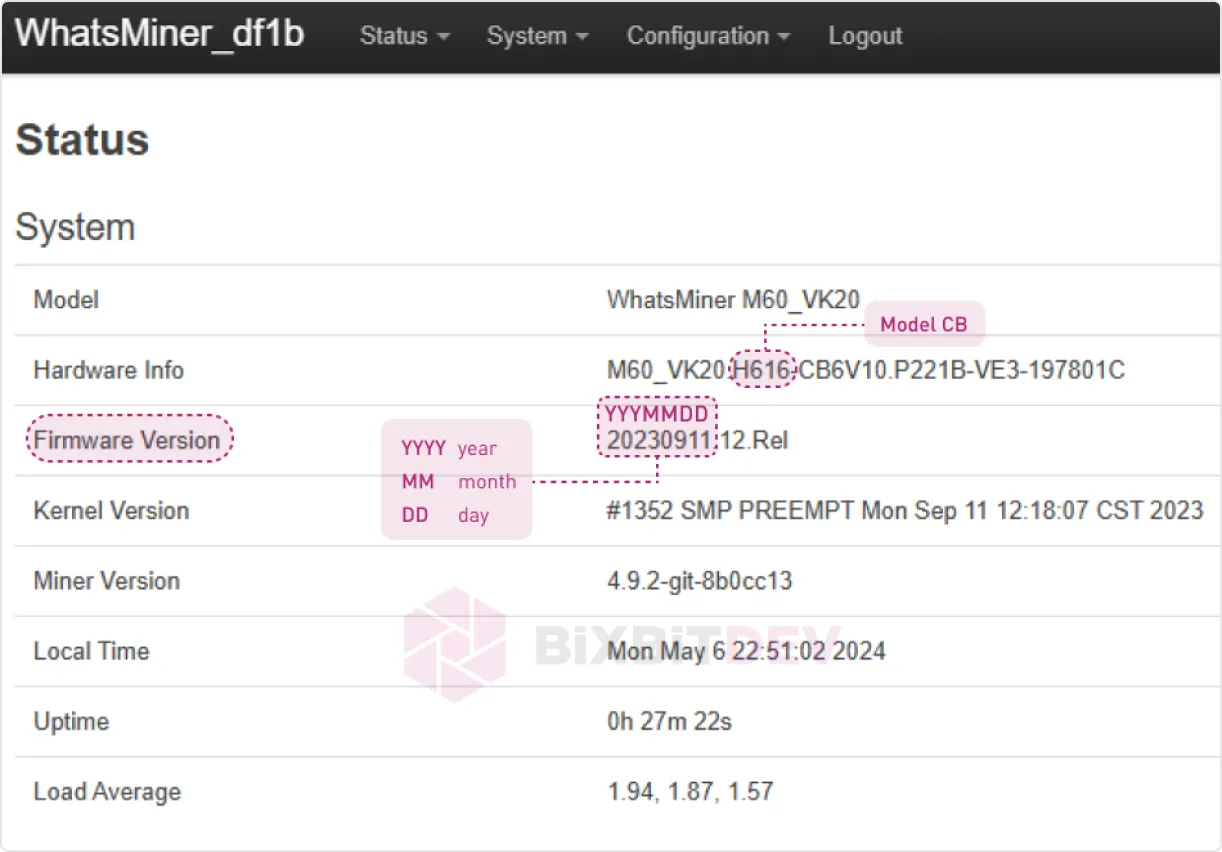
  1. Check the control board model and the firmware version installed. This can be done using WhatsMinerTools:
WhatsMinerTools interface
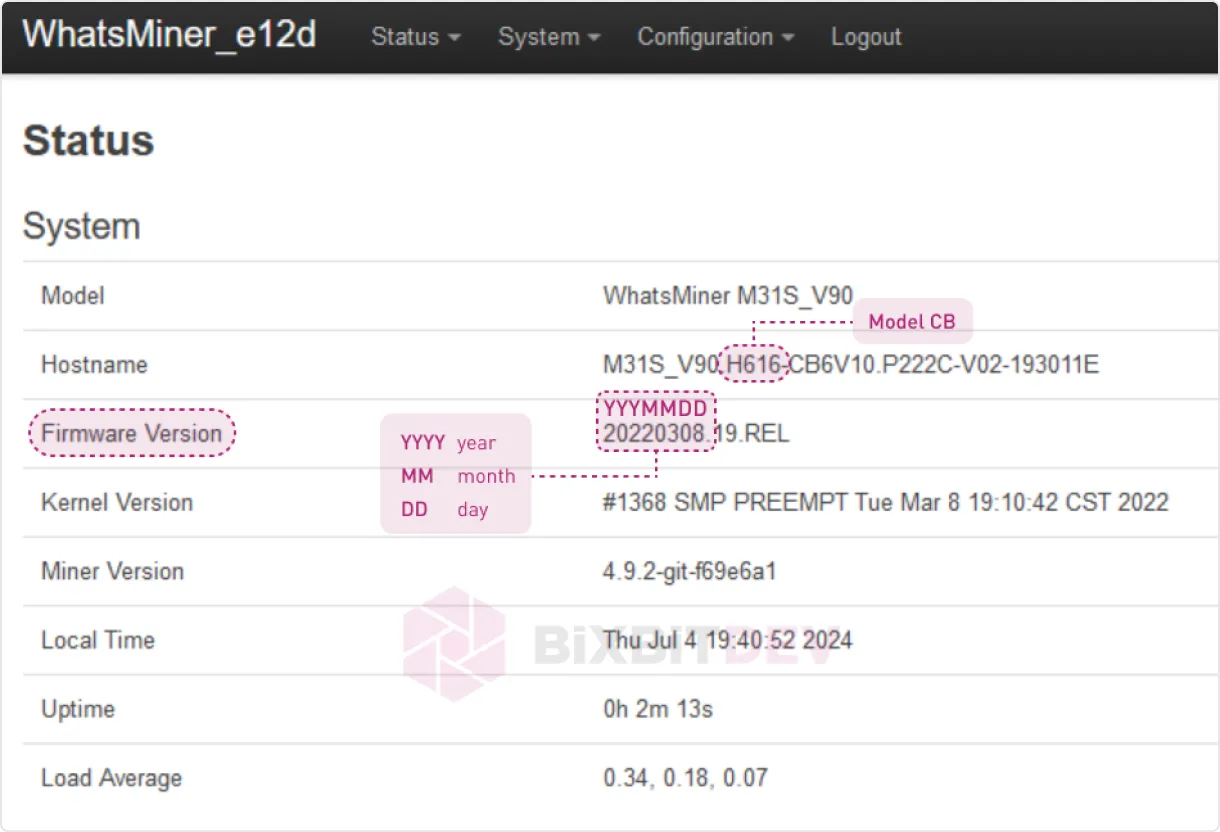
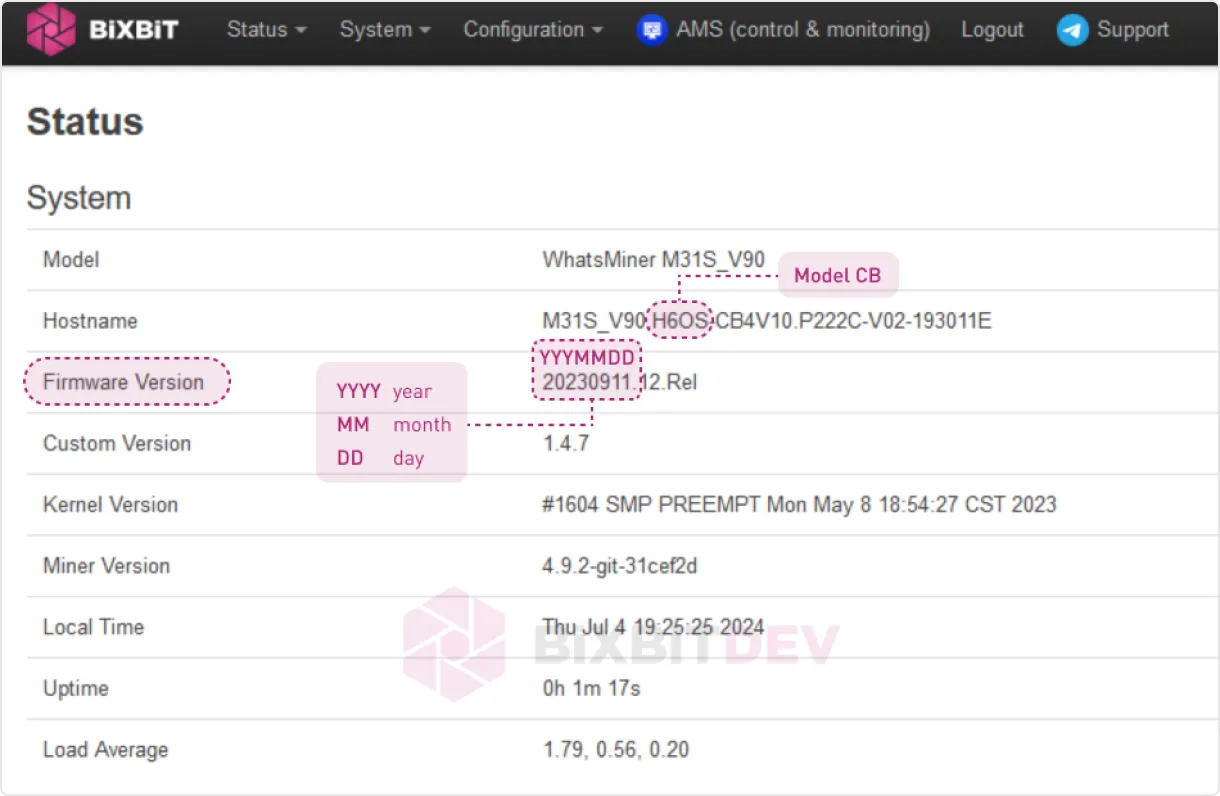
or by checking the Status -> Overview tab in the ASIC web interface:
ASIC web interface
  1. If your device has a control board H616
Control board H616
use WhatsminerTool to install the firmware by uploading the file «Whatsminer-ALL-Models_X.X.X.bin», where «Х.Х.Х» - is the firmware version.
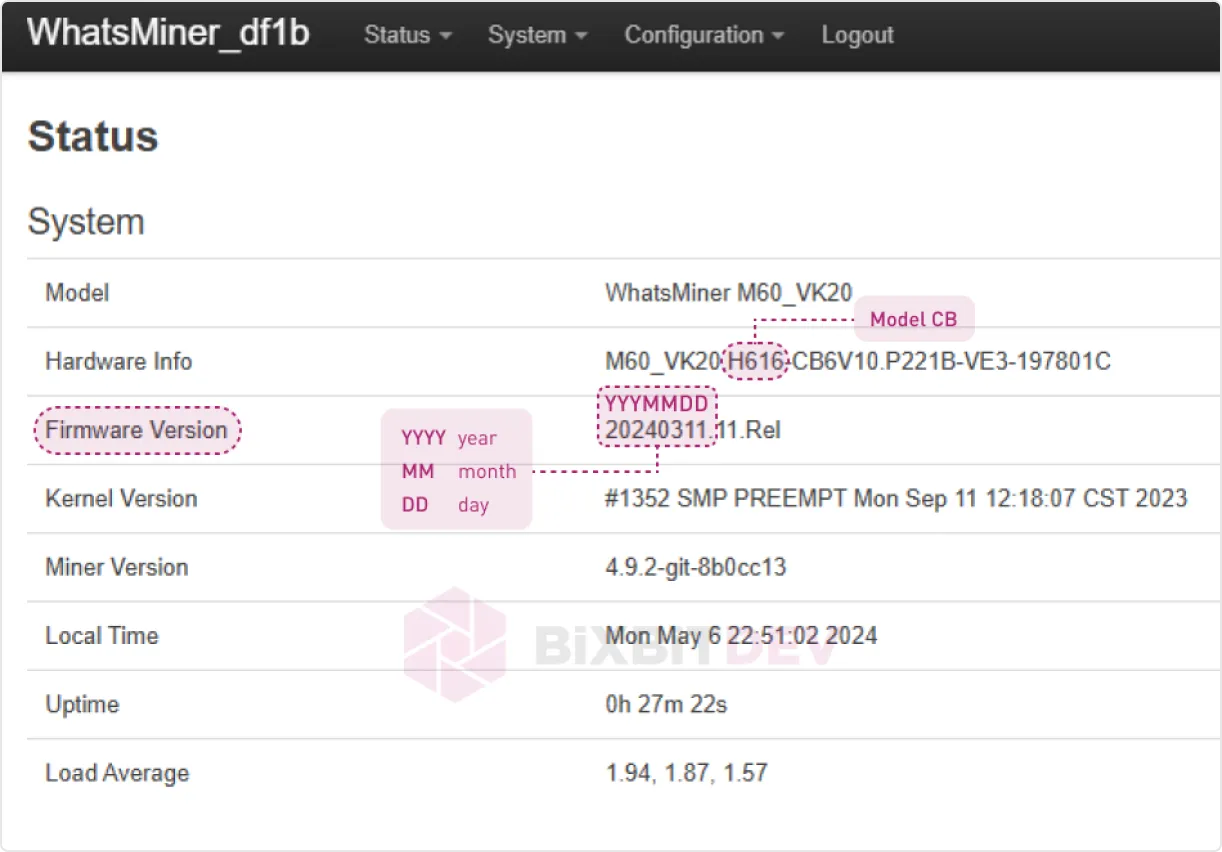
  1. If your device has a control board H616 and the firmware version is before December 13, 2023 or if BiXBiT firmware is already installed:
Firmware installation
use WhatsminerTool to install the firmware by uploading the file «Whatsminer-ALL-Models_X.X.X_h616-before20231213.bin», where «Х.Х.Х» - is the firmware version.
  1. If your device has a control board H616 and the firmware version is after December 13, 2023:
Advanced firmware installation
use the firmware image «Whatsminer-ALL-Models_Х.Х.Х_h616-after20231213.img » and the PhoenixCard utility to write the intermediate firmware version to an SD card. Then use the SD card to flash your device to the intermediate firmware version. The detailed process of flashing ASIC via SD card is shown in the video. After installing the intermediate firmware version, update your ASIC to the latest BiXBiT firmware usingWhatsminerToolwith the file «Whatsminer-ALL-Models_X.X.X.bin».

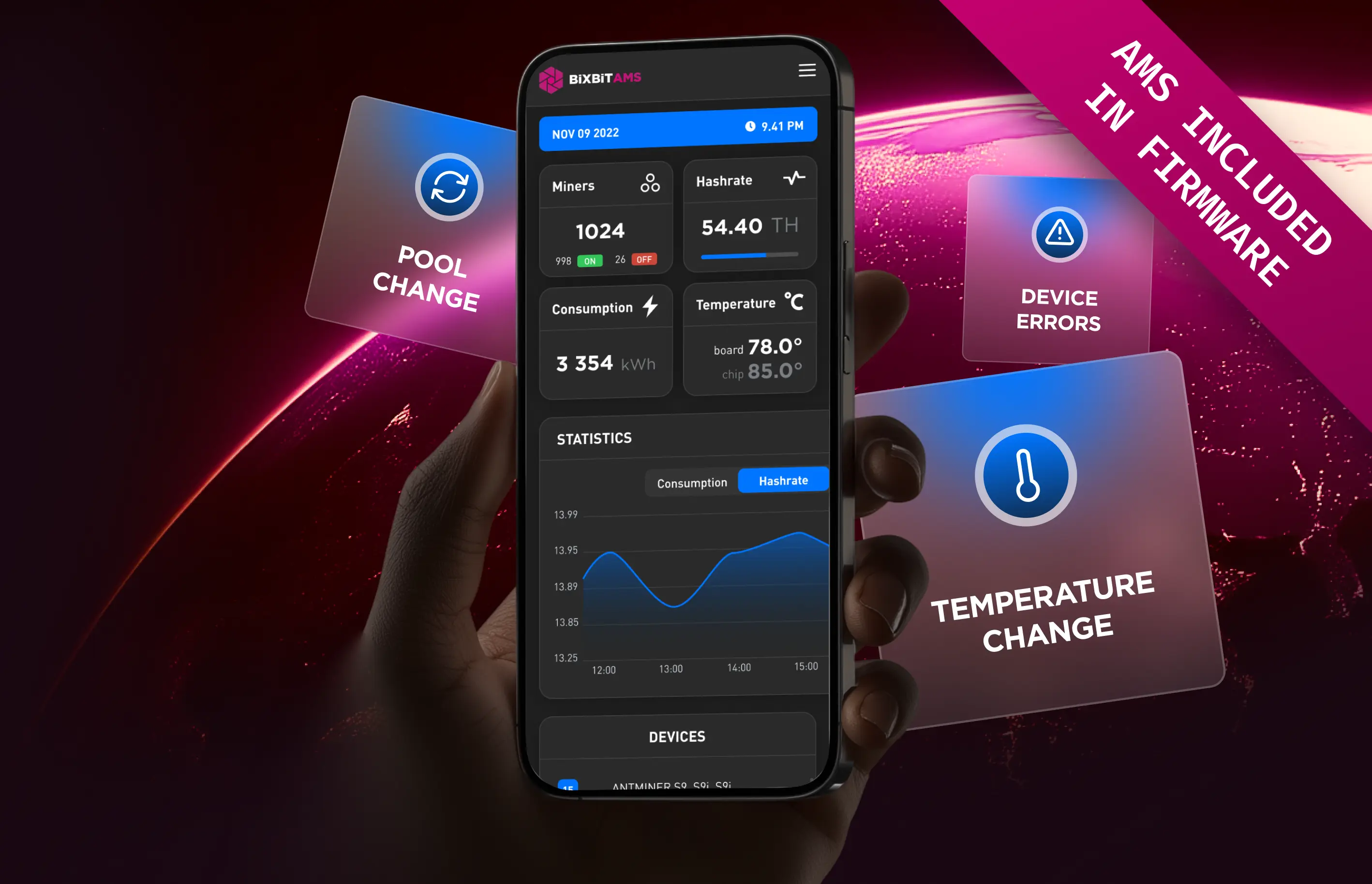
Acceso gratuito al sistema de monitoreo BiXBiT AMS con el firmware

Las estadísticas en tiempo real, las funciones principales de control y las notificaciones flexibles ahora están disponibles en un único servicio online

AMS
Mass device management

Gestión masiva de dispositivos

Advanced device sorting and filtering

Clasificación y filtrado avanzado de dispositivos

Profit and technical condition analysis

Análisis de beneficios y estado técnico

Key parameters: hashrate, power, temperature

Parámetros clave: hashrate, energía, temperatura

Remote access from anywhere in the world

Acceso remoto desde cualquier parte del mundo

Change notifications

Notificaciones de cambios

Task assignment and status tracking

Asignación de tareas y seguimiento de estado

Role and access rights creation

Creación de roles y permisos de acceso

Error reports and recommendations

Reportes de errores y recomendaciones

Mining farm creation by parameters

Creación de granjas mineras por parámetros

Virtual map with ASIC placement

Mapa virtual con ubicación de ASIC

Free access when using BiXBiT firmware

Acceso gratuito al usar firmware BiXBiT

Descargar firmware

FAQ

¿Es gratuito el firmware?

Incluye comisión del desarrollador:

  • M2x — 2%
  • otros — 2.8%

¿Cómo instalar?

Consulta guía o video.

¿Dónde ver perfiles?

Usa Auto Profile Generation.

¿Por qué bajo hashrate?

Autotuning tarda hasta 1 hora.

¿Se pierde garantía?

No, si restauras firmware original.

¿Se puede restaurar?

Sí, vía SD o herramienta.

¿Error con SD?

Verifica tarjeta y archivos.

¿Problemas de descarga?

Usa mirror o soporte.

¿Es seguro?

Sí.

¿Firmware Antminer?

Enviar solicitud.

¿Tienes preguntas?

¡Contáctanos en Telegram! Siempre contarás con nuestro equipo técnico listo para ayudarte

Contáctanos

Obtén la presentación con una descripción completa del firmware

En esta presentación hemos detallado todas las funciones y beneficios del firmware, desde configuraciones avanzadas hasta capacidades de optimización
Firmware presentation